
CallUs

Overview
The CallUs Widget provides an overlay screen showing one or more phone numbers for various services a company may provide as well as the hours these numbers are available. The arrangement of numbers in this layout starts with a main phone number followed by alternative or additional phone numbers. Each can be named and there is no limit on the amount of phone numbers you can include. If the list of numbers cannot fit in the widget, the user can scroll to see the remaining numbers.
Usage
CallUs can be launched manually by the following methods:
- Calling the command "CallUs.open"
- Configuring ChannelSelector to show CallUs as a channel
- Create your own custom button or link to open CallUs (using the "CallUs.open" command)
Customization
All text, titles, names and numbers shown in the CallUs Widget are fully customizable and localizable by adding entries into your configuration and localization options. There are no formatting requirements.
CallUs supports Themes. You may create and register your own themes for Genesys Widgets.
Screenshots
"Dark" Theme
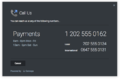
Desktop Overlay View
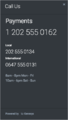
Mobile Fullscreen View in Portrait Orientation
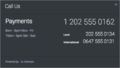
Mobile Fullscreen View in Landscape Orientation


"Light" Theme
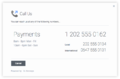
Desktop Overlay View
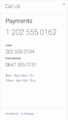
Mobile Fullscreen View in Portrait Orientation
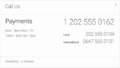
Mobile Fullscreen View in Landscape Orientation


