
When downloading content, you may encounter issues that are easily resolved. If these tips don't help, please Contact Us, and we will try to send you the file directly.
Downloading Help files
Save the Help file to your local hard drive, and uncompress (extract) it to an empty folder. To open the Help file, open the folder into which the .zip file was extracted, then do one of the following:
- If there is only one file in the folder, click that file.
- If there is more than one file in the folder, click the <name of compressed file>.htm file.
Viewing Help files
If, when you open the Help file, the contents do not display in the right window, consider the following:
- Are you trying to open the file on a remote computer? If so, copy it to your local machine. Due to a Microsoft security update, you cannot properly view a HTML-based (CHM) Help if it is located on another machine on your network.
- What is your permissions setting? Right-click the file, select Properties from the context menu, look for an Unblock button, and click it.
Pulse
What is Pulse?
Pulse is a widget-driven, graphical user application, which is accessible from a web browser as a Genesys Administrator Extension (GAX) plug-in application. Using a direct communication link to a real-time metrics engine, Stat Server, Pulse enables at-a-glance views of real-time contact center statistics within the GAX user interface.
Pulse Users
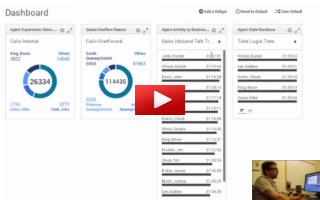
Pulse Administrators
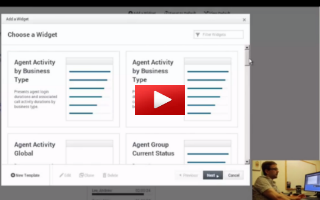
Helpful Links
Release Notes
International Release Notes
Other
Current documentation set for Pulse 8.1.
Deployment Guide Use for an overview of Pulse and to deploy Pulse.
Pulse Help Help for Pulse.
Framework 8.1 Combined Log Events Help Log Events Help including Pulse Log Events.