
Contents
ChatDeflection
Overview
The ChatDeflection widget allows a customer to get the question addressed while waiting customer service agent will join a live chat. ChatDeflection does not introduce new UI, it is just adding additional functionality to the WebChat widget. ChatDeflection widget is using the KnowledgeCenterService widget to match customer's question to corporate knowledge base and come up with most relevant knowledge for the asked question. ChatDeflection stops any interactions with the customer as soon as customer service agent joined the live chat session. Customer service agent joining the session after deflection attempt has context of the customer issue ready for review as well as the information on the suggested knowledge and the customer's interactions with it.
Usage
ChatDeflection will be launched automatically when the live chat session started. It can be also manually enabled or disabled by the following methods:
- Enabled by calling the command "ChatDeflection.enable"
- Disabled by calling the command "ChatDeflection.disable"
Deployment Notes
ChatDeflection Configuration
ChatDeflection utilizes the Genesys Knowledge Center Server Knowledge API accessible through the KnowledgeCenterService widget
Does deflection attempt will be shown in the transcript?
The ChatDeflection widget has several different modes of reporting chat deflection actions to the chat transcript:
- none - deflection actions are not visible in transcript
- readable (default) - deflection actions shown in human-readable format in the chat transcript
- JSON - deflection actions stored as the JSON object with all the technical details.
Customization
All static text shown during chat deflection session is fully customizable and localizable by adding entries into your configuration and localization options.
ChatDeflection supports Themes. You may create and register your own themes for Genesys Widgets.
Mobile Support
ChatDeflection supports both desktop and mobile devices. Like all Genesys Widgets, there are two main modes: Desktop & Mobile. Desktop is employed for monitors, laptops, and tablets. Mobile is employed for smartphones. When a smartphone is detected, ChatDeflection switches to special fullscreen templates that are optimized for both portrait and landscape orientations.
Switching between desktop and mobile mode is done automatically by default. You may configure Genesys Widgets to switch between Desktop and Mobile mode manually if necessary.
Screenshots
"Dark" Theme
- WebChat-Screenshot-Form-Desktop-Dark.png
Desktop docked view showing form
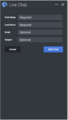
Mobile fullscreen view in portrait orientation showing form
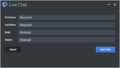
Mobile fullscreen view in Landscape orientation showing form

Desktop docked view showing transcript
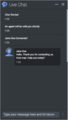
Mobile fullscreen view in portrait orientation showing transcript

Mobile fullscreen view in landscape orientation showing transcript


"Light" Theme
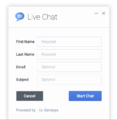
Desktop docked view showing form
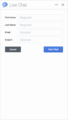
Mobile fullscreen view in portrait orientation showing form
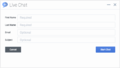
Mobile fullscreen view in Landscape orientation showing form
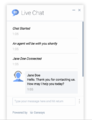
Desktop docked view showing transcript
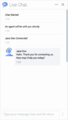
Mobile fullscreen view in portrait orientation showing transcript
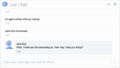
Mobile fullscreen view in landscape orientation showing transcript


